
How it works
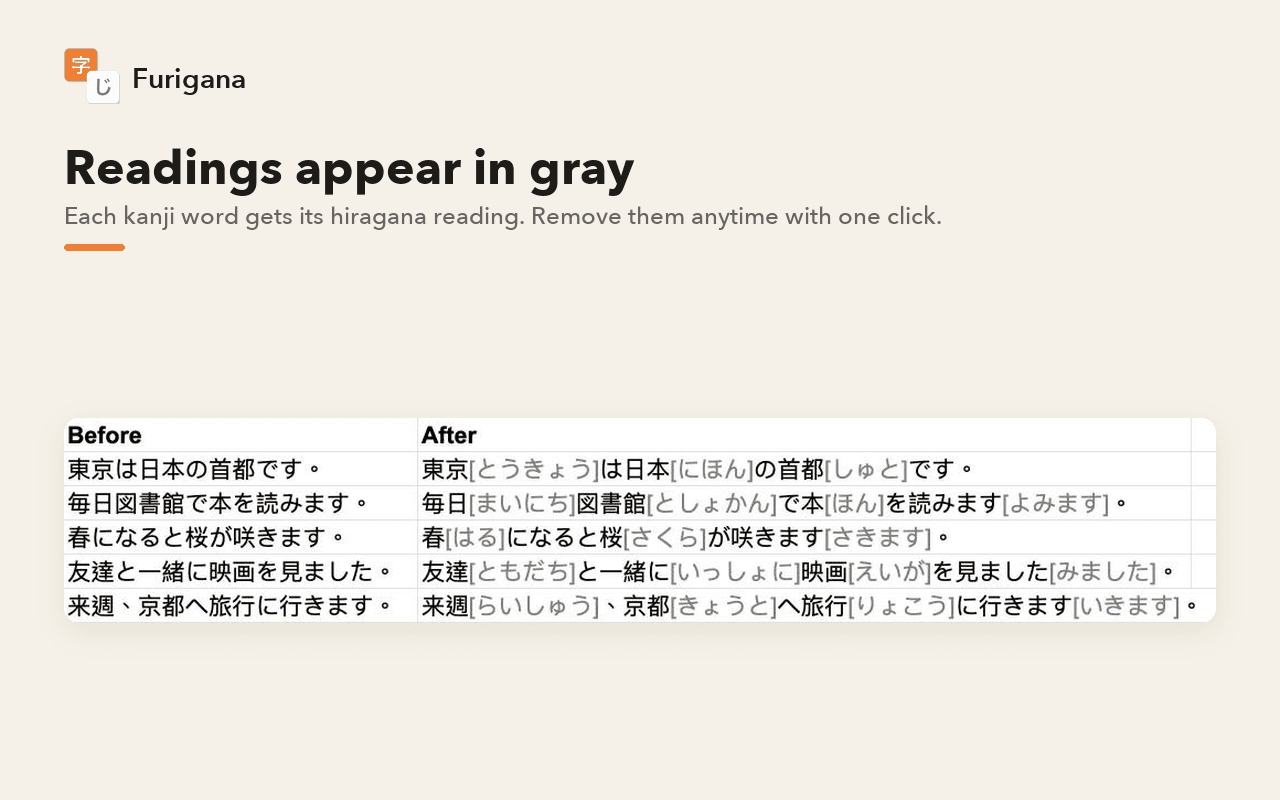
Select the cells, then click Extensions > Furigana > Add furigana to selection.
Remove furigana takes them out.
The readings come from a Japanese dictionary. No AI is used.
What you need
No API key or sign-up needed.
Privacy
Your selected text is sent to the add-on's own furigana server on Google Cloud to get the readings. The developer does not collect, store, see, share, or sell any of your data.
Privacy Policy · Terms of Service
Links
Google Sheets™ is a trademark of Google LLC.